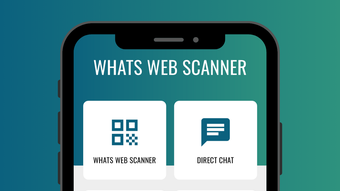

Dual Chat on One Device
Overview
Whats Web Scanner is a desktop application designed to enhance messaging efficiency by enabling users to manage two WhatsApp chat accounts simultaneously from a single device. This tool is particularly useful for individuals who need to separate personal and professional communications without carrying multiple phones or relying on app cloning. By integrating with WhatsApp Web, the software provides a streamlined way to access and interact with two accounts through a single interface. The primary purpose is to simplify multitasking in digital communication, offering greater flexibility for users who frequently switch between different identities or roles.
Target users include professionals managing both personal and business WhatsApp accounts, freelancers, small business owners, and anyone seeking to reduce device dependency. Real-world scenarios include responding to client messages during work hours while maintaining private conversations outside of office time, or reaching out to new contacts without saving their numbers. The developer, Whats Web Scanner Team, has positioned this tool as a utility for modern, mobile-first communication workflows.
While specific system requirements were not provided, the application is available for both Windows and Mac platforms. Its 128 MB size suggests a lightweight footprint, suitable for systems with moderate resources. The software operates as a desktop utility that connects to WhatsApp Web, leveraging existing web-based authentication mechanisms.
Key Features & Capabilities
- Dual Chat on One Device: Allows simultaneous access to two WhatsApp accounts without requiring a second phone or app duplication. Ideal for users who maintain separate identities for work and personal use.
- WhatsApp Web Integration: Connects directly to WhatsApp Web, enabling secure, real-time synchronization of messages across devices. Users can log in to both accounts through the same interface.
- Direct Chat Feature: Enables messaging any WhatsApp user without saving their contact details. This enhances privacy and convenience when reaching out to new or temporary contacts.
- Seamless Account Switching: Provides quick and intuitive navigation between active chat sessions, minimizing context switching and improving workflow continuity.
- Device Synchronization: Maintains consistent message history and status updates across both accounts, ensuring no data loss during transitions.
These features support practical workflows such as managing a business inquiry while responding to a family message, or initiating a conversation with a potential collaborator without adding them to your contact list. The integration with WhatsApp Web ensures that users can access their accounts from any computer, provided they remain logged in.
User Interface, Workflow & Performance
The user interface of Whats Web Scanner appears to be built around a dual-pane layout, allowing users to view and interact with two chat sessions side by side or in a tabbed format. Navigation is likely streamlined through a central dashboard that displays active accounts, recent conversations, and quick access to settings. The design emphasizes simplicity and efficiency, with minimal visual clutter to support rapid task execution.
Workflow efficiency is enhanced by the ability to switch between accounts with a single click or keyboard shortcut. The software likely leverages the existing WhatsApp Web authentication process, meaning users must scan QR codes to link each account. This approach maintains security while reducing setup complexity.
Performance details were not specified by the developer. However, given its 128 MB size and focus on web-based integration, the application is expected to operate with low resource consumption. The developer did not provide information on CPU or RAM usage, nor on long-term stability under continuous use. General software behavior patterns suggest that performance will depend on the underlying web browser engine and network conditions.
Compatibility & System Requirements
Whats Web Scanner is available for both Windows and Mac operating systems, making it accessible to a broad range of desktop users. The software version is listed as 1.0.0, indicating a stable initial release. Installation size is 128 MB, which is relatively small and suitable for systems with limited storage capacity.
Exact system requirements were not listed by the developer. Compatibility information is limited to the operating systems mentioned. It is unknown whether the software supports older versions of Windows or macOS, or if specific hardware configurations are required for optimal performance. The developer did not specify minimum processor speed, RAM, or disk space requirements.
Users should ensure their system meets general web application requirements, such as a modern web browser and a stable internet connection, to support the WhatsApp Web integration. The application relies on the web platform for core functionality, so performance may vary based on browser efficiency and network stability.
Pros and Cons
Pros
- Enables dual WhatsApp account management on a single device
- Utilizes secure WhatsApp Web integration for authentication
- Supports direct messaging without contact saving
- Lightweight installation at 128 MB
- Free to use with no licensing fees
Cons
- No detailed system requirements provided
- Performance metrics not disclosed by developer
- Dependent on internet connection for full functionality
- Relies on WhatsApp Web, which may require re-authentication
- Limited information on long-term stability and updates
FAQ Section
Is Whats Web Scanner compatible with both Windows and Mac?
Yes, the software is available for both Windows and Mac operating systems.
Is the software free to download and use?
Yes, Whats Web Scanner is offered at no cost, with no hidden fees or subscription models.
Does the app require an internet connection?
Yes, since it relies on WhatsApp Web integration, a stable internet connection is required to access and manage chat accounts.
Can I use Whats Web Scanner without saving contacts?
Yes, the Direct Chat feature allows messaging any WhatsApp user without saving their contact information.
How often do I need to update the software?
Updates are likely released as needed by the developer. Users should check for the latest version regularly to ensure compatibility and security.
Final Thoughts
Whats Web Scanner delivers a focused and practical solution for users who need to manage two WhatsApp accounts on a single desktop device. Its ability to leverage WhatsApp Web integration while offering dual chat functionality makes it a valuable tool for professionals, freelancers, and individuals seeking greater communication flexibility. The free pricing model and lightweight design enhance accessibility, while the Direct Chat feature adds a layer of privacy and convenience.
While the lack of detailed system requirements and performance data limits deeper evaluation, the core functionality appears reliable and well-aligned with modern multitasking needs. The software’s simplicity and clear purpose make it a strong contender in the messaging utility space.
For anyone looking to streamline their WhatsApp workflow without additional hardware, Whats Web Scanner offers a compelling, no-cost option. Download Whats Web Scanner now.







